
What is tabi.gay?
Tabi.Gay is a Lemmy instance, which means it is a federated social media, akin to Mastodon, but designed to behave more like Reddit. Posts on Lemmy can be viewed across other Lemmy instances, and on Mastodon as well.
Currently, users of Tabi.Gay have to be approved by an admin. Registrations are currently open to any member of the Tabi Helpers chat, just provide your Signal username in the application answer field.
How to sign up?
To sign up, visit: https://tabi.gay/signup.
You will be sent a confirmation email. Once confirmed, an admin has to approve your application before you can sign in. You can ping @Skibidi in the Tabi Helpers chat to speed up approval.
Once you are approved, you can sign in and start using Lemmy.
How do I use on mobile?
You might also want to set it up on your phone. If so, the recommended app is Voyager.
- Apple App Store: https://apps.apple.com/us/app/voyager-for-lemmy/id6451429762
- Google Play Store: https://play.google.com/store/apps/details?id=app.vger.voyager
- FDroid: https://f-droid.org/en/packages/app.vger.voyager/
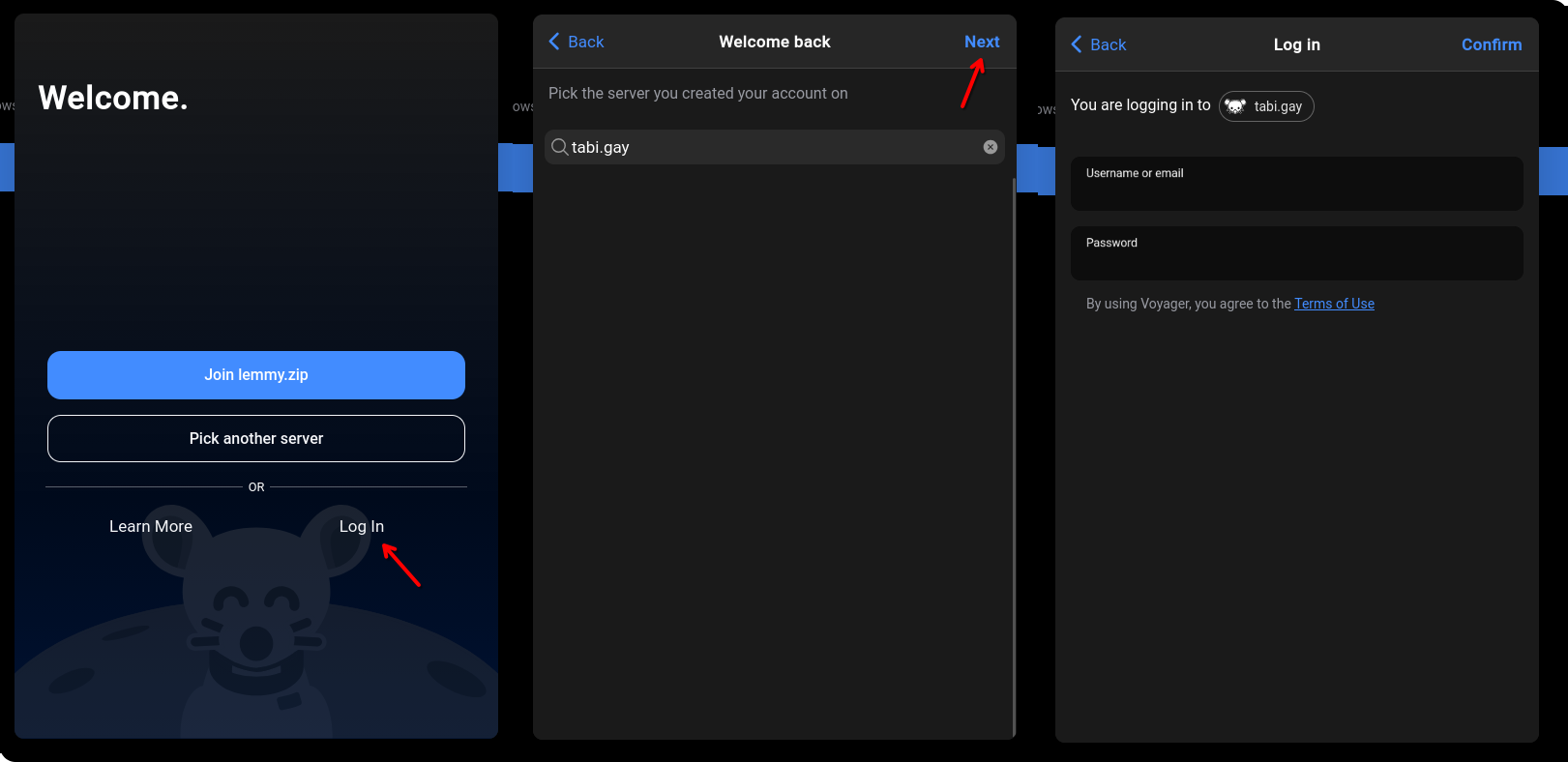
Once Voyager is installed, add an account and press the log in button at the bottom right of the add account screen. Enter the URL “tabi.gay” then press next, then proceed with your login information.
Cool, what can I do here?
I would recommend joining some communities (Lemmy version of subreddits) that match your interests. You can browse https://tabi.gay/communities?listingType=All to find some, or visit https://lemmyverse.net/communities to browse all Lemmy communities.
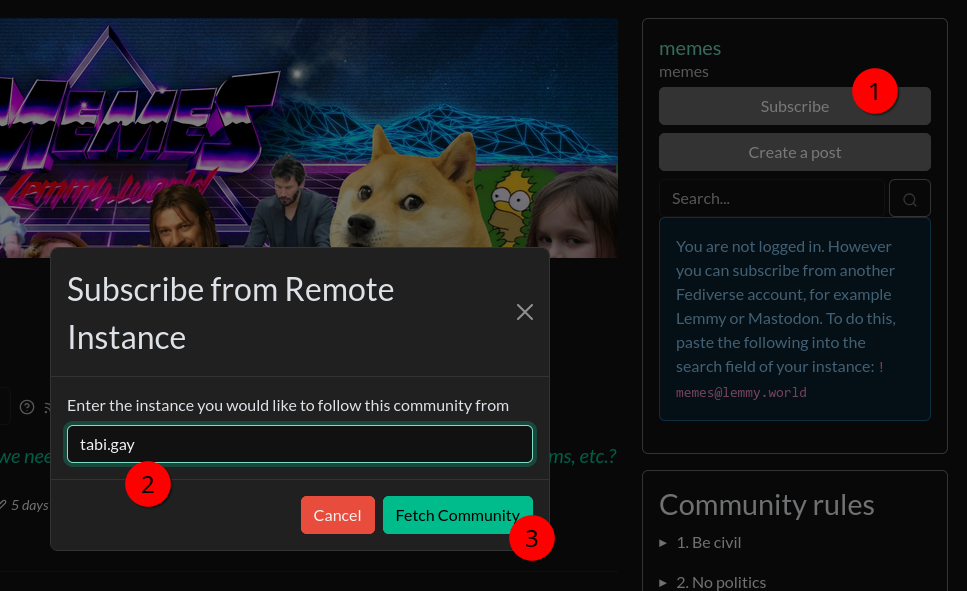
To subscribe to a community that is on another instance, click subscribe, and type in tabi.gay. It will redirect you to tabi.gay and prompt you to subscribe.
@mox no way I saw the email verification meltdown I ain’t doing that
boo 👎
